
Leadstor LogoLeadstor
Study Abroad CRM

Study Abroad CRM

Organise study abroad enquiries, counsellor follow-up, and application movement in one lead workflow.

Book a Demo
  • One pipeline for every enquiry
  • Counsellor ownership per student
  • Document and intake follow-up
  • Applications, fees, and travel steps connected
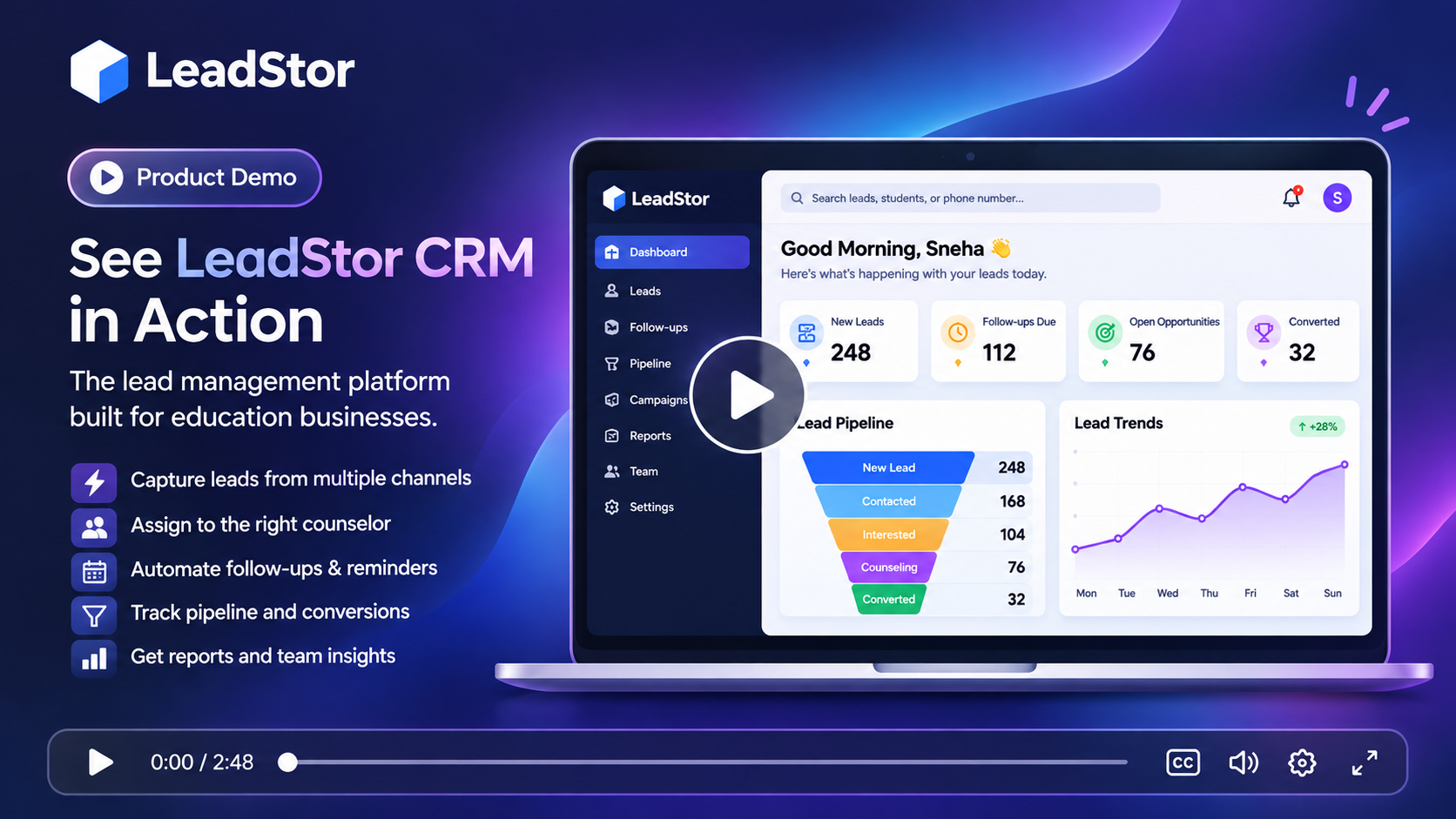
LeadStor dashboard showing a study abroad enquiry pipeline with counsellor ownership

The problem

What slows this team down today

These are the recurring issues teams describe before they move their enquiry workflow into one system.

1

Enquiries arrive from too many places

A study abroad team usually receives interest from Facebook Lead Ads, Google Ads, walk-ins, referrals, education fairs, WhatsApp, and website forms. When each channel lands in a different inbox, someone has to retype details before follow-up can start.

2

Counsellors lose track of who replied last

Intake conversations stretch over weeks. Without a shared record, a student may repeat the same information to two counsellors, or a promising enquiry can go cold after the first call.

3

The work continues after the first payment

Document collection, application steps, fee instalments, and travel preparation all belong to the same student record. Splitting them across spreadsheets makes progress hard to see.

The approach

How LeadStor addresses it

LeadStor keeps capture, routing, follow-up, and operations in a single platform so the same record is used from first enquiry onwards.

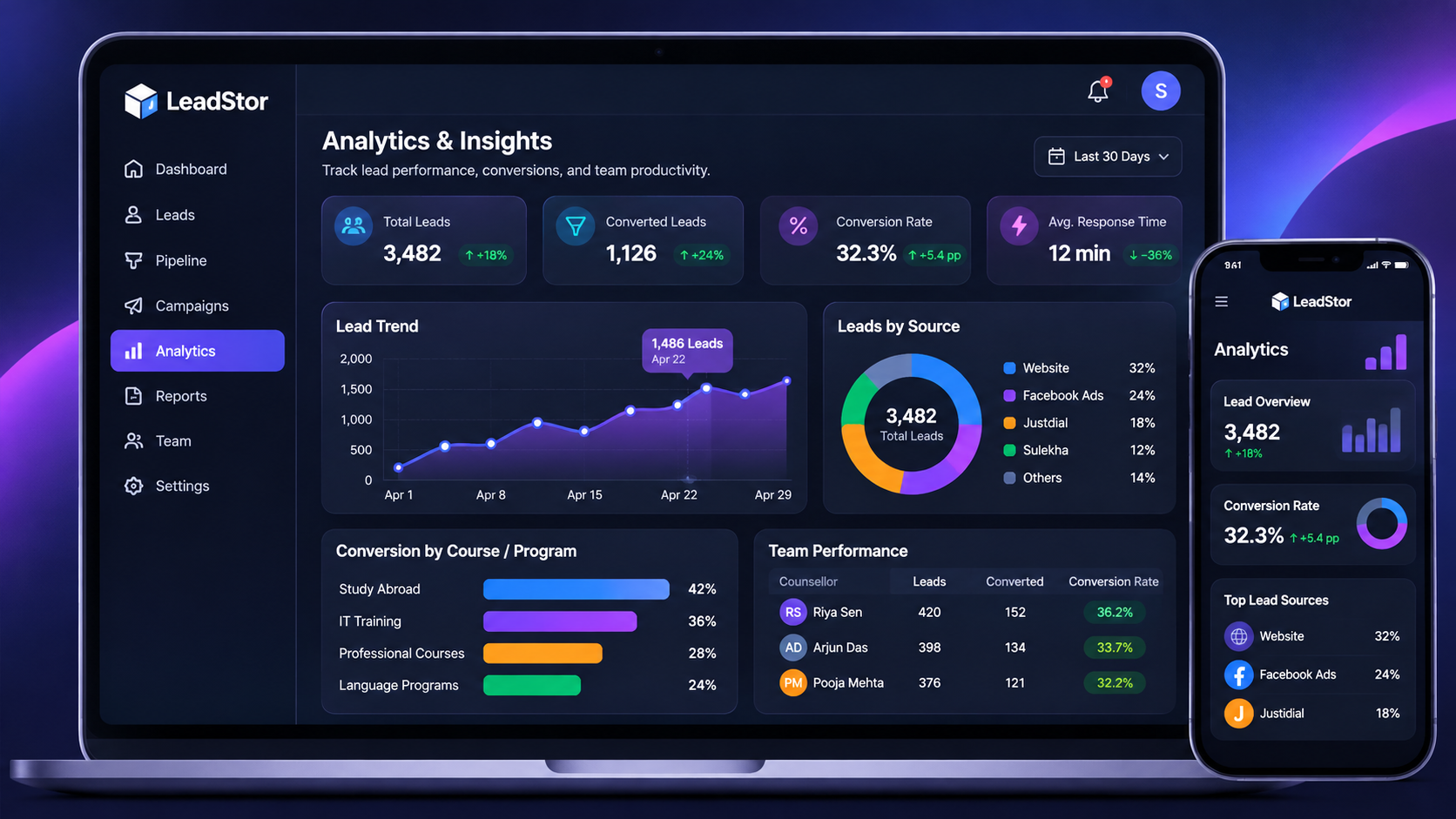
Source and conversion reporting

Managers can review activity, source performance, and conversion progress from the same platform that the team works in every day.

LeadStor analytics dashboard showing lead source and conversion reporting
01

Every channel feeds the same pipeline

LeadStor centralises enquiries from ad platforms, forms, chat, and custom webhooks so a counsellor sees one list instead of several.

02

Ownership and next steps stay visible

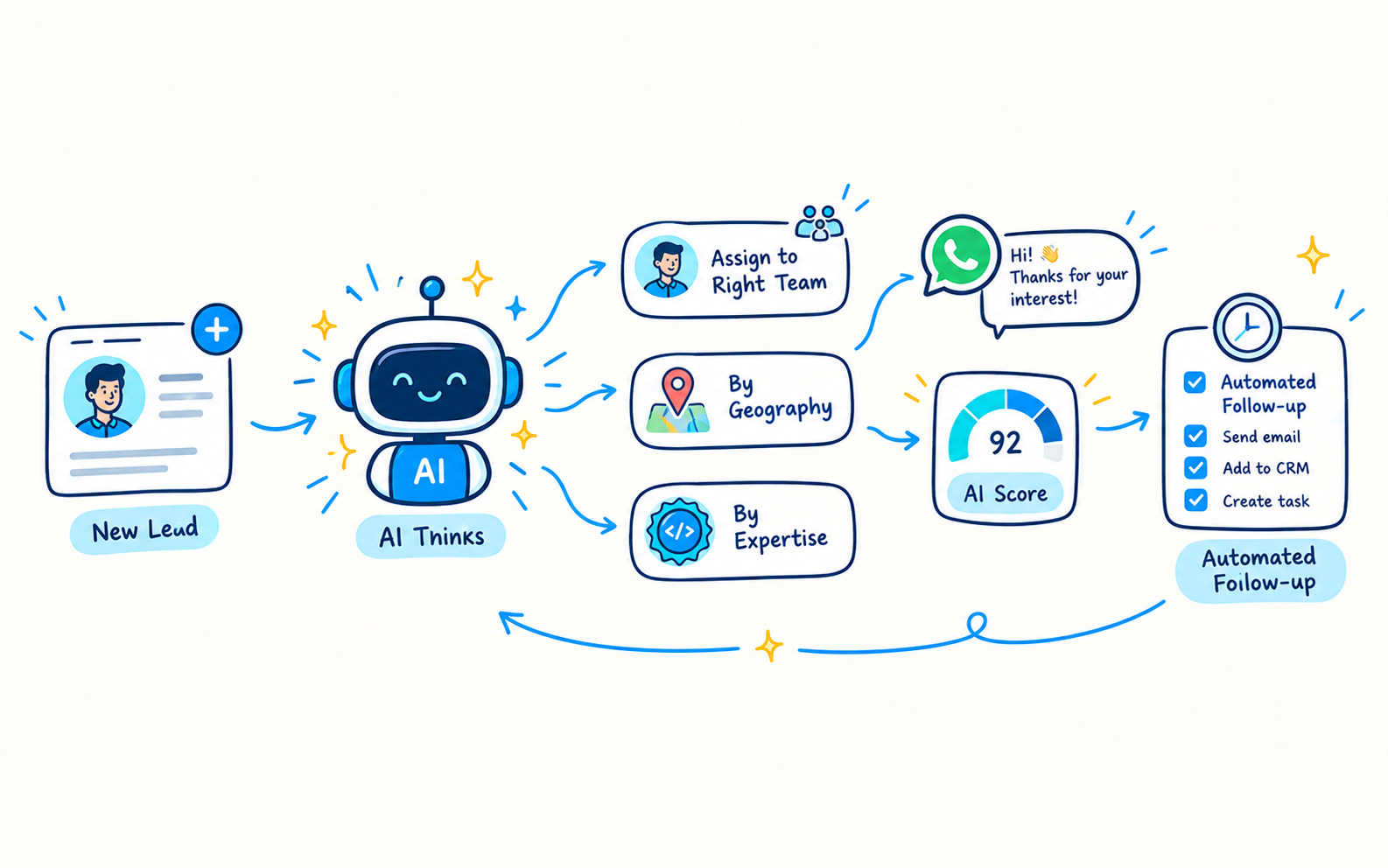
Leads can be assigned automatically, duplicate numbers and emails can be blocked, and follow-up reminders keep the next action in view.

03

Student operations sit next to sales

Fee reminders, receipt generation, and student progress tracking use the same record, so the handover after conversion does not need another tool.

Step 1

Capture enquiries from the channels students already use

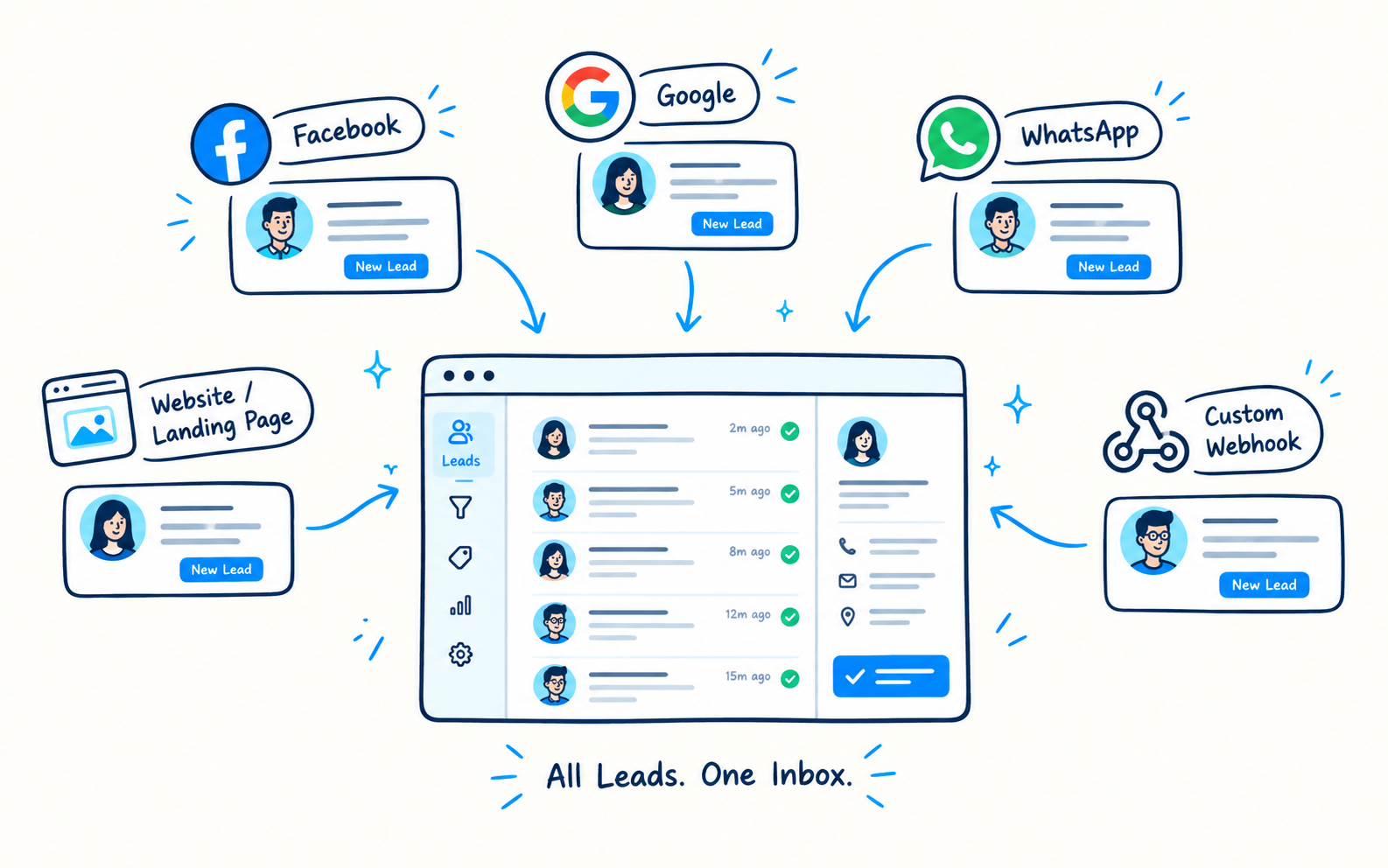
LeadStor pulls new enquiries from Facebook Lead Ads, Google Ads, Justdial, Sulekha, UrbanPro, website forms, WhatsApp, and custom webhooks into a single pipeline. New records appear in real time, so a counsellor can call back while the interest is still fresh.

  • Multi-channel lead sourcing in one list
  • Duplicate blocking on phone numbers and email addresses
  • Ownership assigned as soon as the lead arrives
Lead capture screen showing enquiries from multiple sources in one pipeline
Step 2

Keep every intake conversation reviewable

Each student record keeps the lead source, the assigned counsellor, and the activity history together. Before a second call, the counsellor can read what was already discussed instead of asking the student to repeat it.

  • Activity history on one student record
  • Follow-up reminders so no enquiry is forgotten
  • Searchable history for branch or senior review
Lead record with counsellor ownership and activity history
Step 3

Connect applications, fees, and student progress

Once a student converts, the same platform supports fee instalments, automated receipts, and student progress tracking. Teams can see which applications are moving and which have stalled.

  • Fee instalments with payment reminders
  • Automated receipt generation
  • Student progress tracking after conversion
Payment and student progress screen for a converted student

The workflow

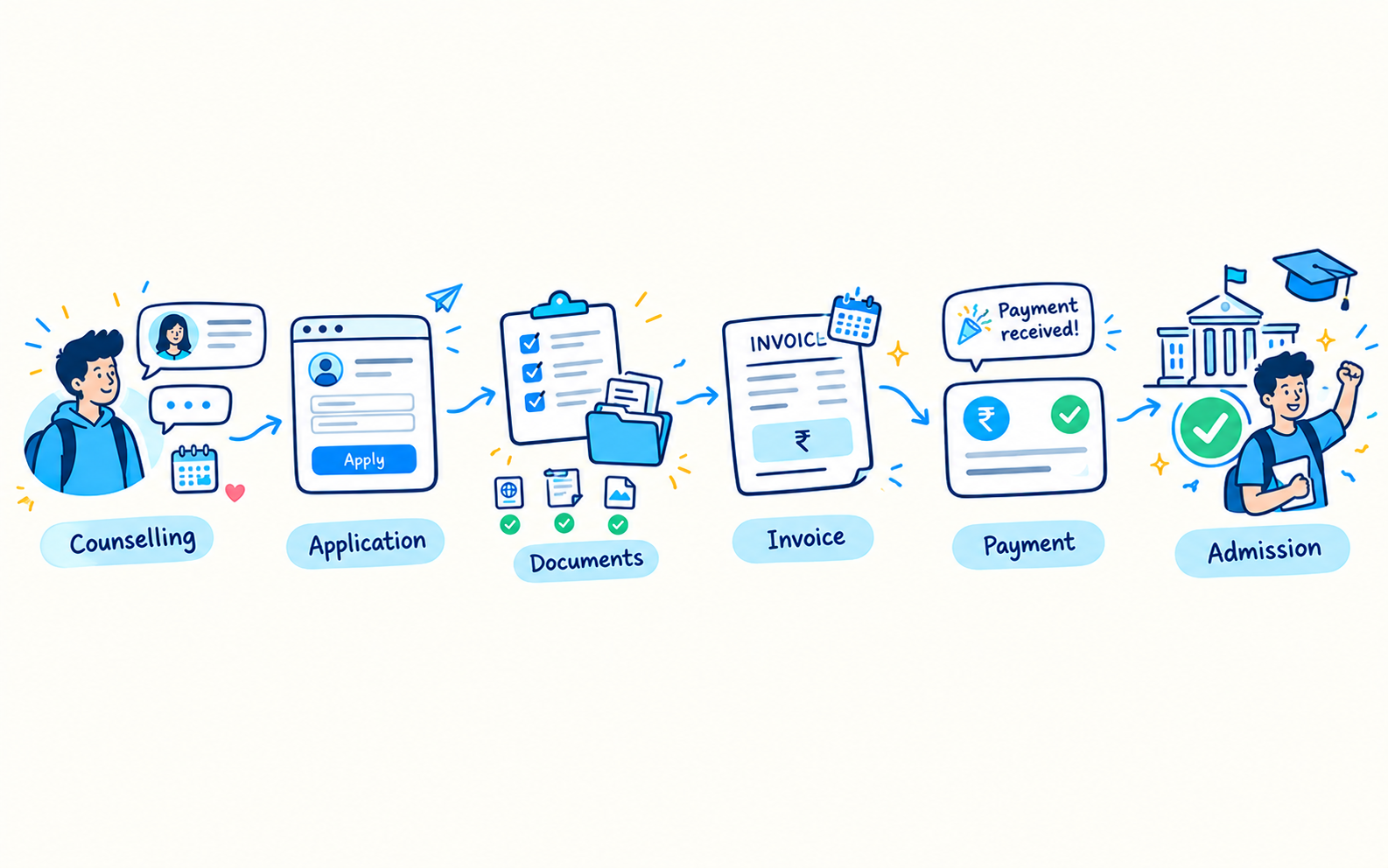
How an enquiry moves through LeadStor

  1. 1

    Enquiry lands

    A new lead arrives from an ad, form, chat, or webhook and is checked for duplicates.

  2. 2

    Counsellor takes ownership

    The lead is assigned and a follow-up reminder keeps the first call on schedule.

  3. 3

    Intake progresses

    Call notes, documents, and next steps stay on the same student record.

  4. 4

    Converted student continues

    Fee instalments, receipts, and progress tracking continue without a new tool.

Outcomes

What changes for the team

Fewer missed enquiries

Automatic assignment and reminders keep new interest from sitting unattended.

Faster counsellor context

The full conversation is on one record, so handovers do not lose detail.

Cleaner records

Duplicate blocking reduces repeat entries that confuse reporting.

One view of the student journey

Intake, fees, and progress stay connected from first enquiry onwards.

Common use cases

  • Study abroad consultancies handling walk-ins, ads, and fair enquiries
  • Teams that split ownership by destination, country, or intake
  • Counsellors who need document and application reminders in one place
  • Branch managers reviewing source performance across locations

A study abroad team usually handles many enquiries at the same time. LeadStor can help by putting those enquiries into one system, assigning them quickly, and keeping the next step clear for the counselor.

Why this matters

Study abroad leads often come from ads, forms, calls, and chat channels. If the team tracks them in separate places, it becomes hard to know who replied, what documents are pending, and which student needs another follow-up.

LeadStor already supports multi-channel lead sourcing, auto assignment, reminders, and activity tracking. Those are the building blocks that help a study abroad team stay organised.

What the CRM should support

For this use case, the CRM should help with:

  • Fast intake from different enquiry sources
  • Counselor ownership for each lead
  • Follow-up reminders before the lead goes cold
  • A simple history of the conversation
  • Clear next steps for admissions work

Short answer

If your study abroad team needs faster enquiry handling, the main benefit is visibility. The lead stays in one place, and the next action is easier to manage.

FAQ

Study Abroad CRM questions

Can LeadStor capture enquiries from ad platforms and website forms together?
Yes. LeadStor sources leads from Facebook Lead Ads, Google Ads, Justdial, Sulekha, UrbanPro, website forms, WhatsApp, and custom webhooks, and places them into one pipeline.
How does duplicate blocking help a study abroad team?
When the same phone number or email address arrives from a second channel, LeadStor flags it so the original counsellor keeps ownership. That prevents two people calling the same student with different information.
Does the platform handle fee instalments after a student converts?
Yes. The payment module supports fee instalments, payment reminders, automated receipts, and payment reports, so follow-up continues after the first payment.
Can we track students after the application is submitted?
Converted students stay in the same system, and student progress tracking is available so teams can review what stage each student has reached.

See how LeadStor fits your study abroad intake

We will walk through your current enquiry sources and show how capture, counsellor assignment, fees, and student progress sit in one place.