
CRM Invoice Management for Institutes
Manage fee reminders, automated receipts, and payment reports inside the same CRM workflow used for admissions and student tracking.
Workflow
Connected
Admissions and fees stay close together
Reminder
Automated
The team can prompt the next payment step
Workflow
Connected
Admissions and fees stay close together
Reminder
Automated
The team can prompt the next payment step
Receipt
Generated
Automated receipt generation is part of the plan list
Reporting
Visible
Payment and revenue reports stay in the same platform
Fee reminders
Built into the same workflow so the team does not switch tools.
Receipt generation
Built into the same workflow so the team does not switch tools.
Revenue reports
Built into the same workflow so the team does not switch tools.
Connected workflow
Built into the same workflow so the team does not switch tools.
CRM Invoice Management for Institutes
LeadStor fits the intent for CRM invoice management when the team wants payment work to stay connected to the admission record. This page is about fees, reminders, receipts, and reporting inside the same workflow.
If you want the broader platform overview first, read the Lead Management Software pillar page.
Why fee management needs its own workflow
Once a lead converts, the work is not over. The team still needs a clean way to manage fees, payment follow-up, receipts, and reporting.
When those tasks live outside the CRM, staff often need to check another sheet or another tool just to answer a simple question about payment status.
What LeadStor already supports
The verified product data shows support for:
- Payments management
- Automated payment reminders
- Automated receipt generation
- Payment and revenue reports
That is enough to build a useful payment workflow without overclaiming accounting features that are not confirmed.
How teams can use it
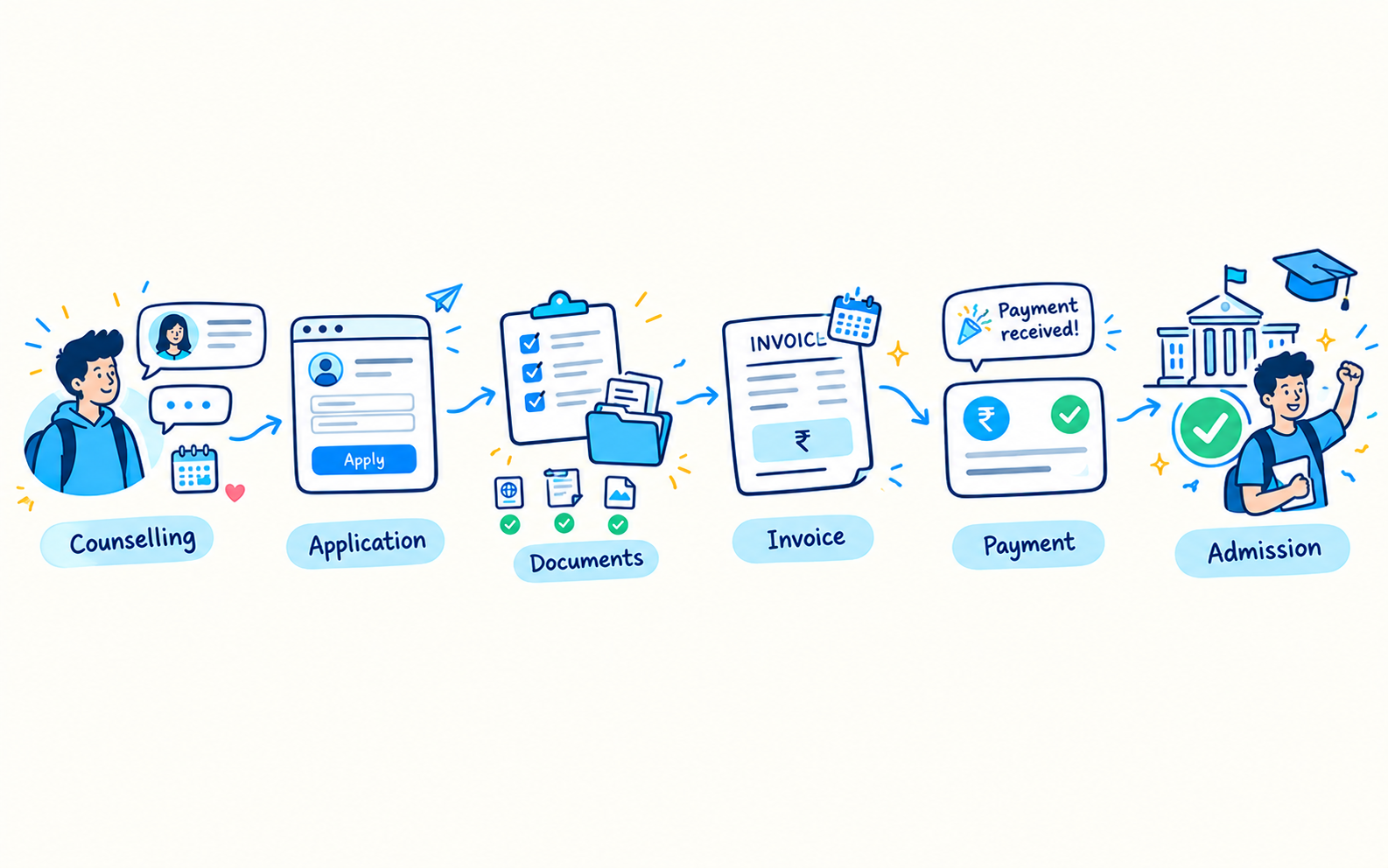
A practical payment flow in LeadStor can look like this:
- The lead converts and becomes a student.
- The team checks the payment stage.
- A reminder is sent when a payment step is due.
- The receipt is generated after payment.
- Managers review payment and revenue reports.
That keeps the fee process tied to the same record used for admissions.
What this helps teams avoid
Broken handoffs
Sales and operations do not need to guess where the record lives.
Manual follow-up gaps
Automated reminders help reduce missed payment prompts.
Duplicate fee records
A connected workflow makes it easier to keep the fee record attached to the right student.
Reporting in separate tools
Payment and revenue reporting is more useful when it sits next to the student record.
Best use cases for this page
This page is a good fit for:
- Institutes that collect fees in stages
- Teams that need payment reminders
- Staff that issue receipts after payment
- Managers who want revenue visibility inside the CRM
- Admission teams that want one record from lead to fee follow-up
Related pages
- Lead Conversion Software
- Coaching Batch Management Software
- Student Placement & Internship Tracker
- Lead Management Software
- Contact LeadStor
FAQs
Does this page cover accounting or tax filing?
No. The verified product content supports payments, reminders, receipts, and reports, but not full accounting or tax filing claims.
Can payment management work with conversions?
Yes. That is the most natural use case because the payment workflow usually starts after the lead becomes a student.
Why should payment tracking stay inside the CRM?
Because the team can see the admission record and the payment record in one place instead of switching between tools.
Does this replace a finance system?
No. This page should be framed as CRM-linked fee workflow support, not as a full finance suite.
Helpful note
Use this page when your goal is to explain how fees and receipts stay connected to the education sales workflow.