
Leadstor LogoLeadstor
Education Consultant CRM

Education Consultant CRM

Manage consultant enquiries, route leads to the right counselor, and keep each student conversation easy to follow.

Book a Demo
  • One shared list for the whole consultancy
  • Fast routing to the right counsellor
  • Follow-up reminders that do not slip
  • Source reporting you can act on
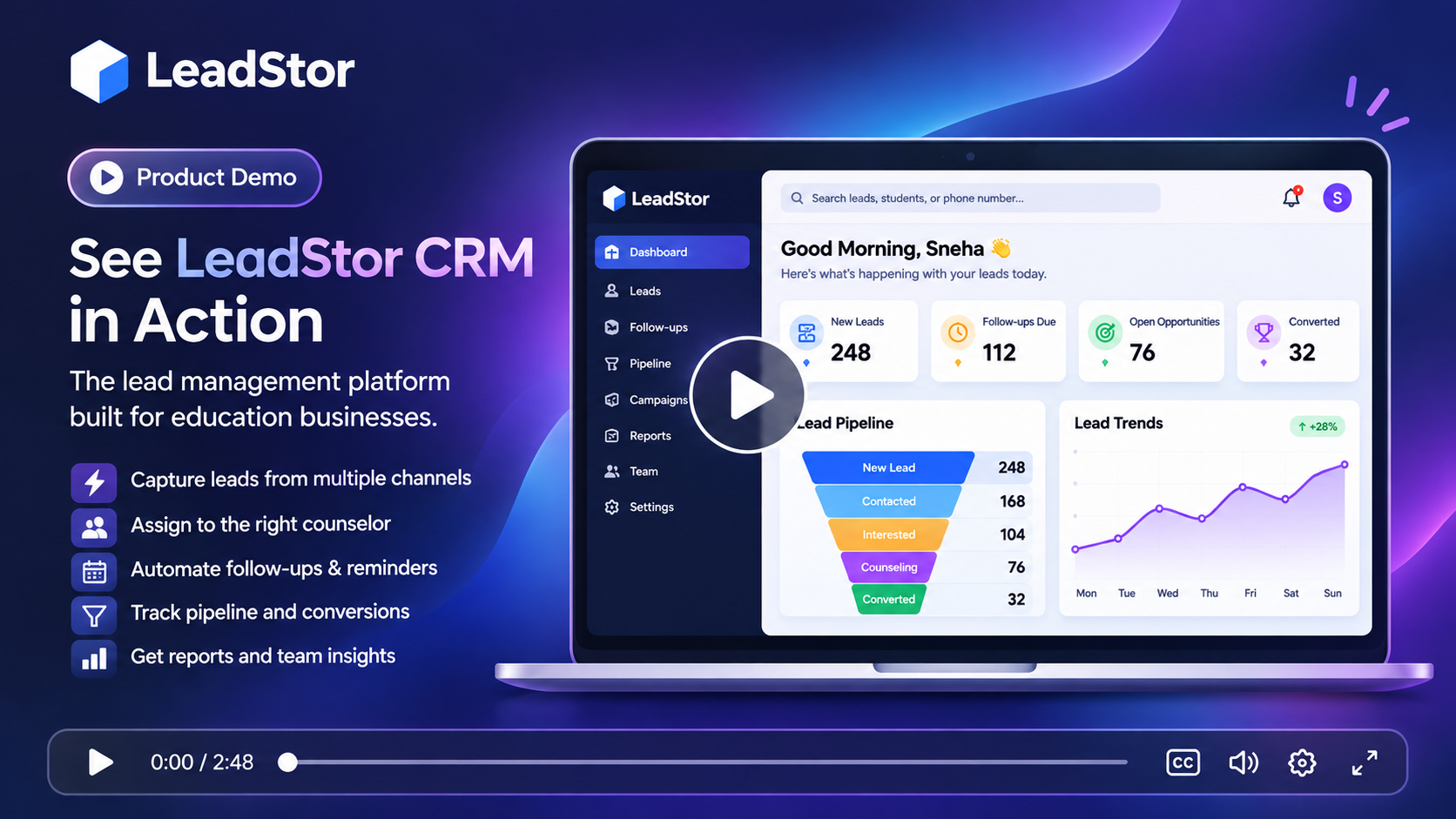
LeadStor dashboard showing a consultancy lead list with owners and sources

The problem

What slows this team down today

These are the recurring issues teams describe before they move their enquiry workflow into one system.

1

Everyone keeps their own list

In many consultancies each counsellor tracks enquiries in a personal sheet or phone contact list. When someone is on leave, the follow-up stops because nobody else can see the history.

2

Slow first response

Parents and students often contact several consultants at once. If the first callback takes a day, another consultancy has already booked the counselling session.

3

Hard to see which channel pays off

Referrals, ads, website forms, and social messages all cost money and time. Without source tags on every lead, it is difficult to know where to invest next.

The approach

How LeadStor addresses it

LeadStor keeps capture, routing, follow-up, and operations in a single platform so the same record is used from first enquiry onwards.

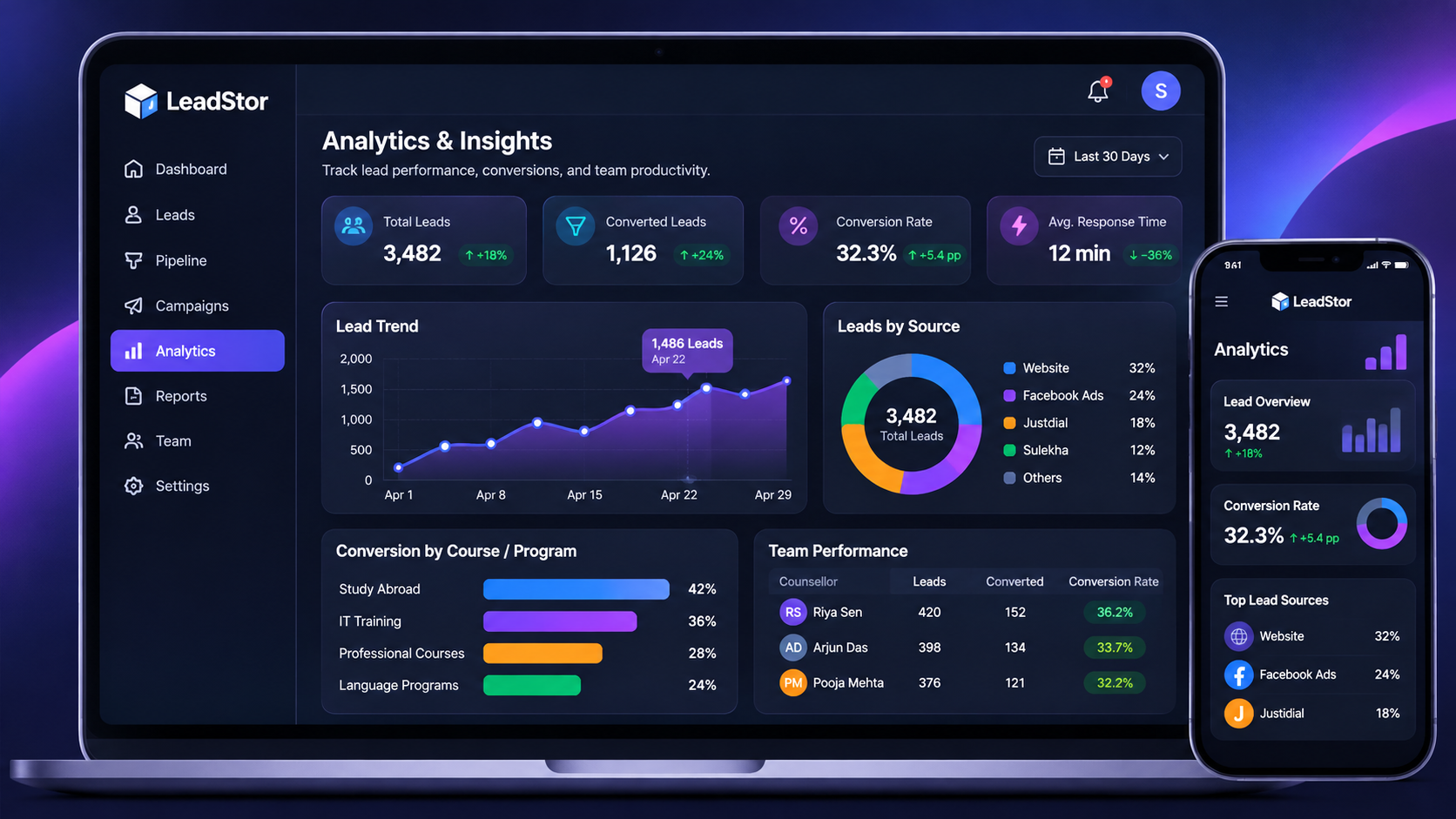
Source and conversion reporting

Managers can review activity, source performance, and conversion progress from the same platform that the team works in every day.

LeadStor analytics dashboard showing lead source and conversion reporting
01

Replace personal lists with a shared pipeline

Every enquiry lands in one place with an owner, a source, and a visible next step, so cover during leave does not stop the conversation.

02

Cut the time to first contact

New leads can be assigned automatically and paired with follow-up reminders, so the first call happens quickly.

03

Tag every lead with its source

Because the source travels with the lead, managers can compare enquiry volume and conversion progress across channels.

Step 1

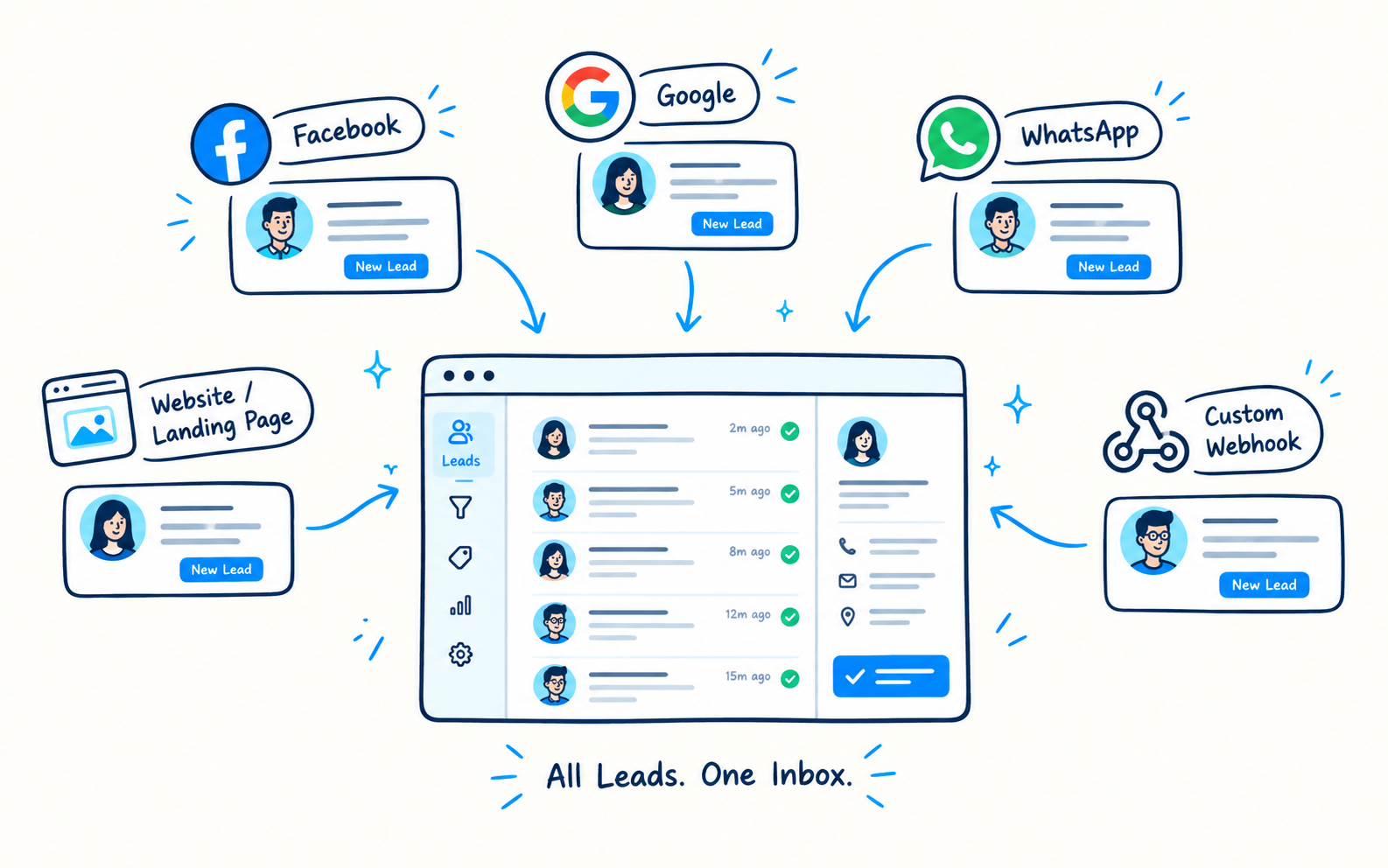
Bring referrals, ads, and forms into one view

LeadStor captures enquiries from website forms, ad platforms, chat, and webhooks. A consultancy that also takes walk-ins and referrals can add them the same way, so nothing stays outside the system.

  • One pipeline across channels
  • Lead source recorded on every record
  • Duplicate blocking to keep lists clean
Consultancy lead list showing source tags per enquiry
Step 2

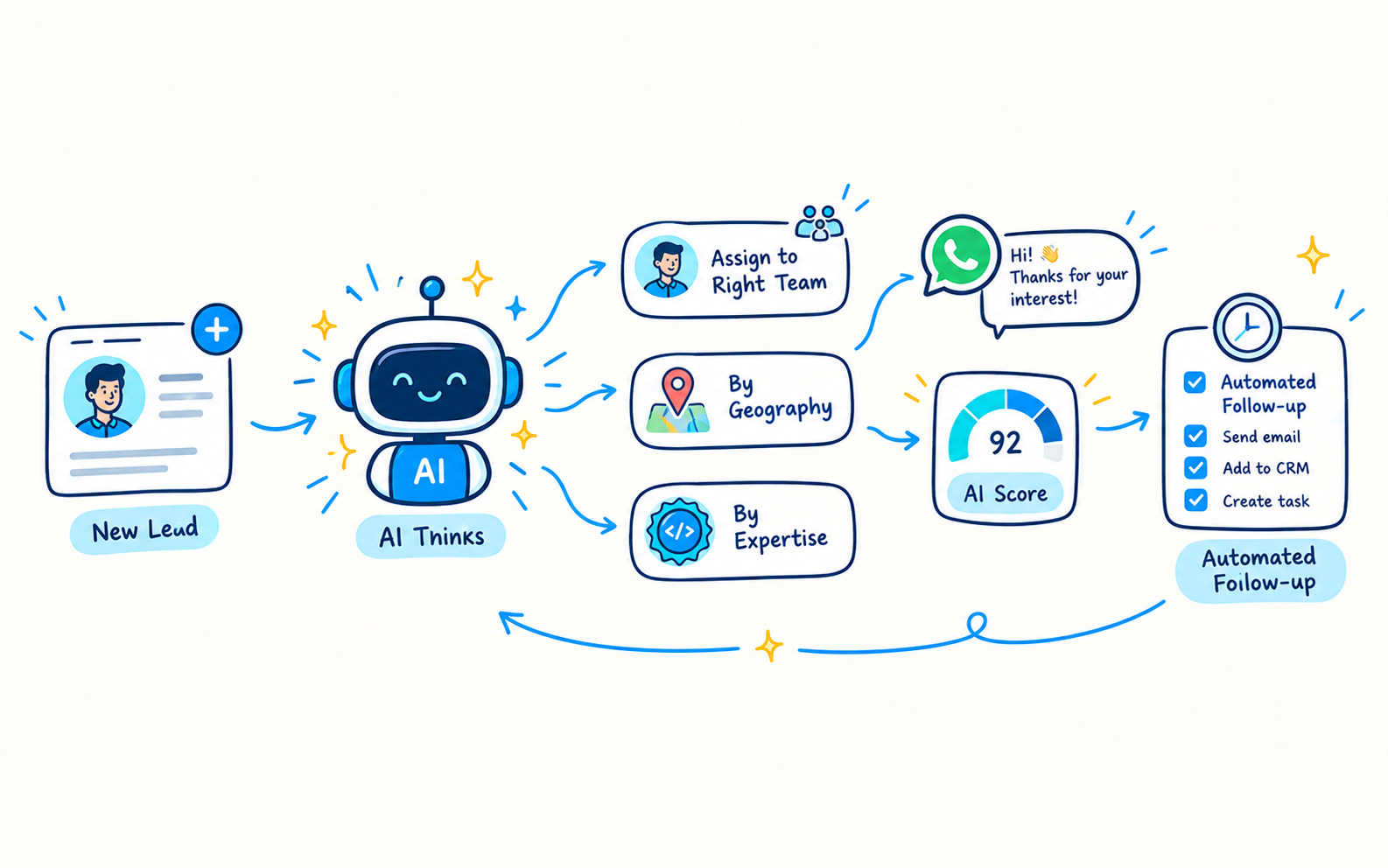
Route enquiries without manual sorting

Auto assignment sends each lead to the right counsellor based on the rules your team sets. Reminders then keep the follow-up on schedule, which matters when a student is comparing several consultancies.

  • Automatic lead assignment
  • Follow-up reminders per stage
  • Lead nurturing to keep warm enquiries engaged
Automation rules screen showing lead assignment and reminders
Step 3

Keep the counselling conversation reviewable

Call notes, status changes, and documents stay attached to the student record. If a counsellor is unavailable, a colleague can read the history and continue without asking the family to repeat everything.

  • Activity history per student
  • Shared visibility across the team
  • Search for past enquiries when a family calls back
Student record showing activity history and shared notes

The workflow

How an enquiry moves through LeadStor

  1. 1

    Enquiry is captured

    The lead enters from a form, ad, chat, or manual entry with its source recorded.

  2. 2

    Ownership is assigned

    Auto assignment sends the lead to the right counsellor with a reminder attached.

  3. 3

    Counselling progresses

    Notes, documents, and stage changes stay on one shared record.

  4. 4

    Manager reviews sources

    Reporting shows which channels bring enquiries that actually convert.

Outcomes

What changes for the team

Faster first response

Reminders and auto assignment reduce the gap between enquiry and first call.

Nothing depends on one person

Shared records mean any counsellor can continue a conversation during leave or shift changes.

Clearer channel decisions

Source data on every lead helps a consultancy decide where to spend next.

Fewer repeated details

Duplicate detection keeps families from being contacted twice by different counsellors.

Common use cases

  • Consultancies with several counsellors covering the same enquiry pool
  • Teams taking enquiries from referrals, ad campaigns, and walk-ins
  • Managers who need source-level reporting without manual spreadsheets
  • Branches that need one shared process instead of local lists

Education consultants need fast replies, clear ownership, and a simple record of what happened with each student or parent. LeadStor is useful here because it keeps enquiries in one system and helps the team stay on the same process.

Why consultants need a CRM

Consulting teams often handle leads from ads, referrals, website forms, and chat messages. Without a shared CRM, the same lead can be updated in one place and forgotten in another.

LeadStor supports lead sourcing, auto assignment, duplicate blocking, and follow-up reminders. That makes it easier for a consultant team to stay organized.

What to look for

An education consultant CRM should help you:

  • Capture leads from the channels that matter
  • Assign ownership quickly
  • Review the conversation before the next call
  • Keep the next action visible
  • Nurture leads until they are ready

Short answer

If your consulting team wants fewer missed follow-ups, the CRM should make every lead easy to see and easy to act on.

FAQ

Education Consultant CRM questions

How quickly can a new enquiry reach a counsellor?
Leads are captured in real time and can be assigned automatically, so the counsellor can see the enquiry as soon as it arrives and follow the reminder attached to it.
Can different counsellors work on the same student record?
Yes. Records are shared, so a colleague can read the activity history and continue the conversation if the original counsellor is unavailable.
Does LeadStor show which source produced each lead?
Every lead carries its source, and reporting lets managers compare channels, which makes budget decisions easier to justify.
Can we keep nurturing enquiries that are not ready to decide?
Lead nurturing campaigns are supported, so enquiries that need more time can stay in the pipeline with scheduled follow-up instead of being dropped.

Map your consultancy workflow to LeadStor

Share how your counsellors split enquiries today and we will show the same process running from one shared pipeline.