
Leadstor LogoLeadstor
eLearning & EdTech CRM

eLearning & EdTech CRM

Manage course enquiries, demos, and follow-up tasks for eLearning and EdTech teams in one place.

Book a Demo
  • Demo and trial enquiries in one place
  • Fast routing for high-volume campaigns
  • Follow-up automation at scale
  • Lead scoring to focus the team
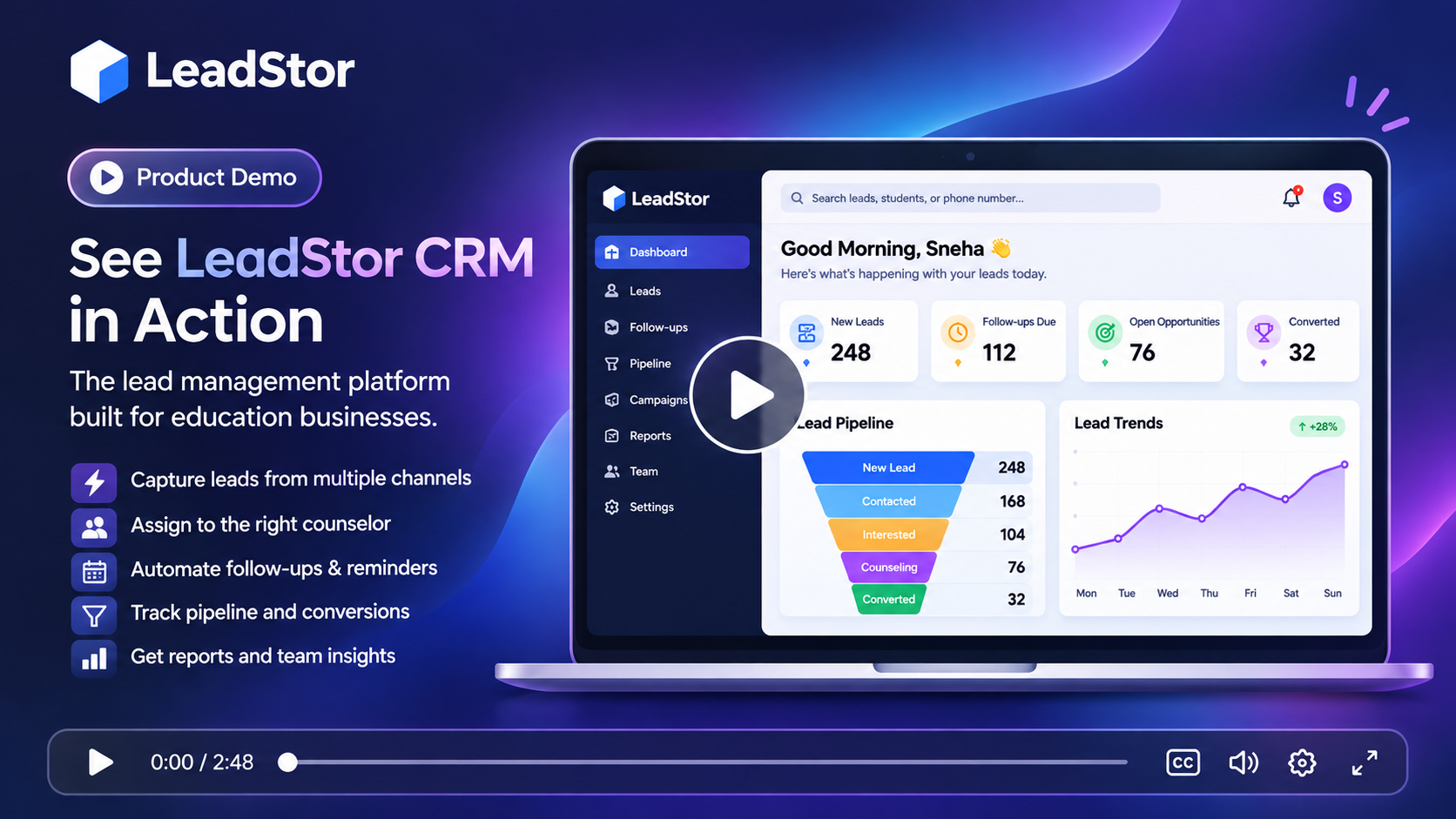
LeadStor dashboard showing eLearning demo enquiries and follow-up automation

The problem

What slows this team down today

These are the recurring issues teams describe before they move their enquiry workflow into one system.

1

Campaign volume overwhelms manual handling

An EdTech campaign can produce hundreds of enquiries in a day. When leads are downloaded as a spreadsheet, the team spends its time copying rows instead of talking to people.

2

Trials and demos need quick follow-up

Interest in a course or trial drops quickly. If the first contact arrives two days later, the learner has usually moved on to another platform.

3

Sales and support overlap

Learners often ask support questions while they are still deciding. When sales and support systems are separate, the learner repeats the same information twice.

The approach

How LeadStor addresses it

LeadStor keeps capture, routing, follow-up, and operations in a single platform so the same record is used from first enquiry onwards.

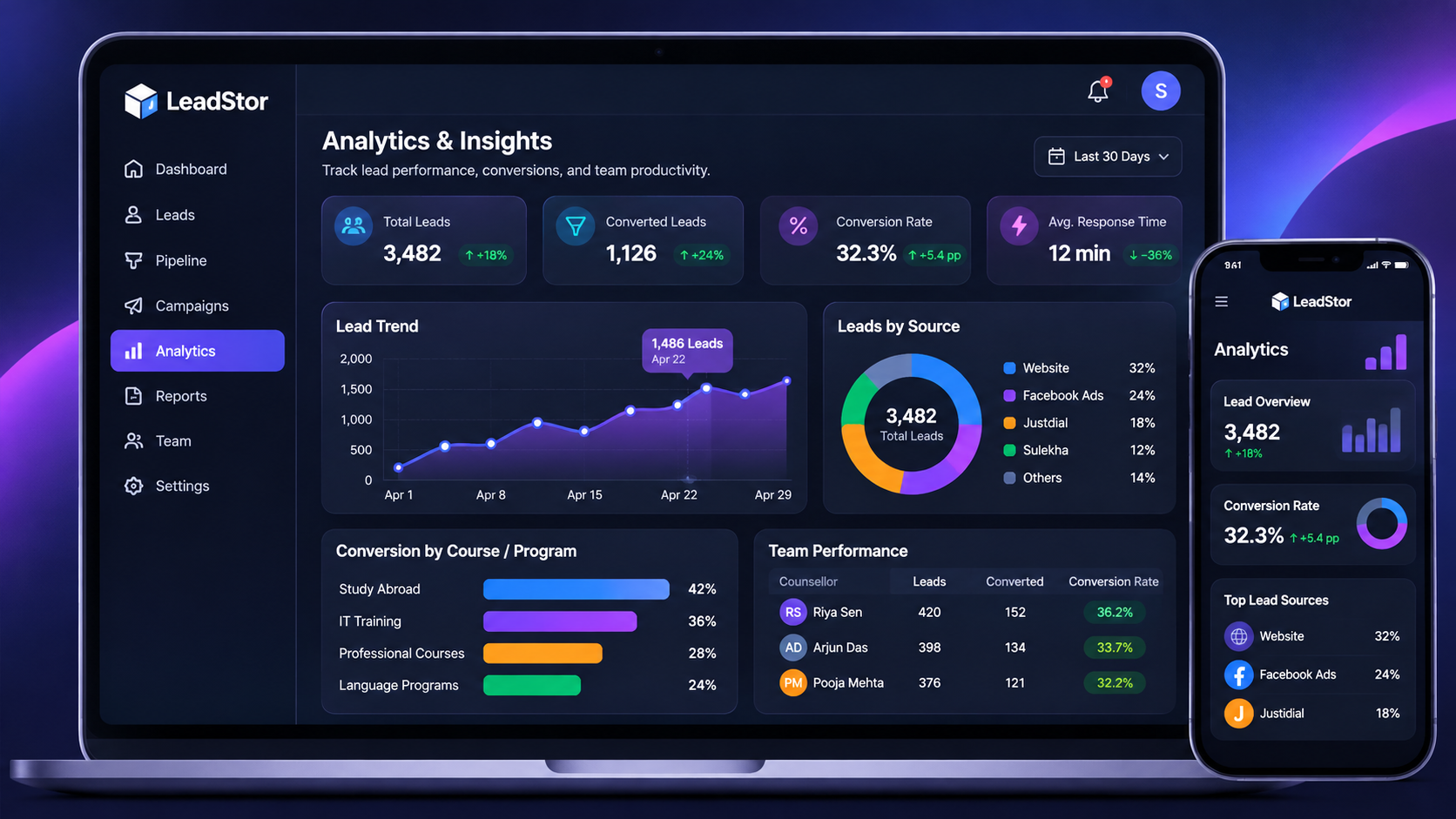
Source and conversion reporting

Managers can review activity, source performance, and conversion progress from the same platform that the team works in every day.

LeadStor analytics dashboard showing lead source and conversion reporting
01

Automate intake from campaigns

Leads flow in from ad platforms, landing pages, and webhooks without manual downloads, so the team starts follow-up straight away.

02

Shorten time to first contact

Auto assignment and reminders put new enquiries in front of the right person quickly, which matters for trial-driven products.

03

Use scoring to prioritise

AI lead score cues help the team decide who to call first when a campaign delivers more leads than they can handle at once.

Step 1

Handle campaign volume without spreadsheets

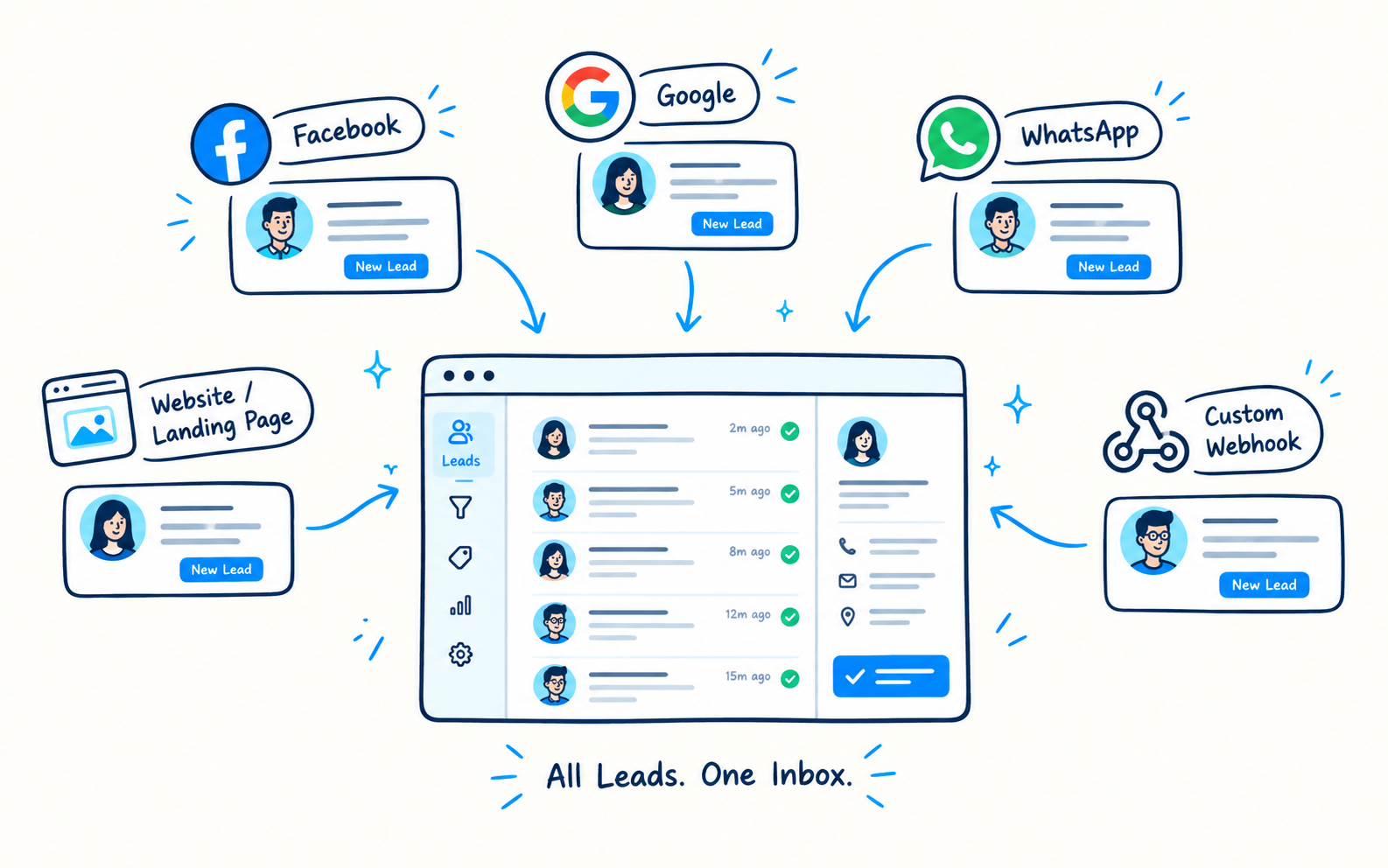
LeadStor connects to Facebook Lead Ads, Google Ads, website forms, and custom webhooks. Leads are deduplicated and routed automatically, which removes the manual import step entirely.

  • Webhook and ad platform intake
  • Duplicate blocking on repeat signups
  • Auto assignment across the sales team
High-volume lead intake screen for an EdTech campaign
Step 2

Prioritise the enquiries most likely to convert

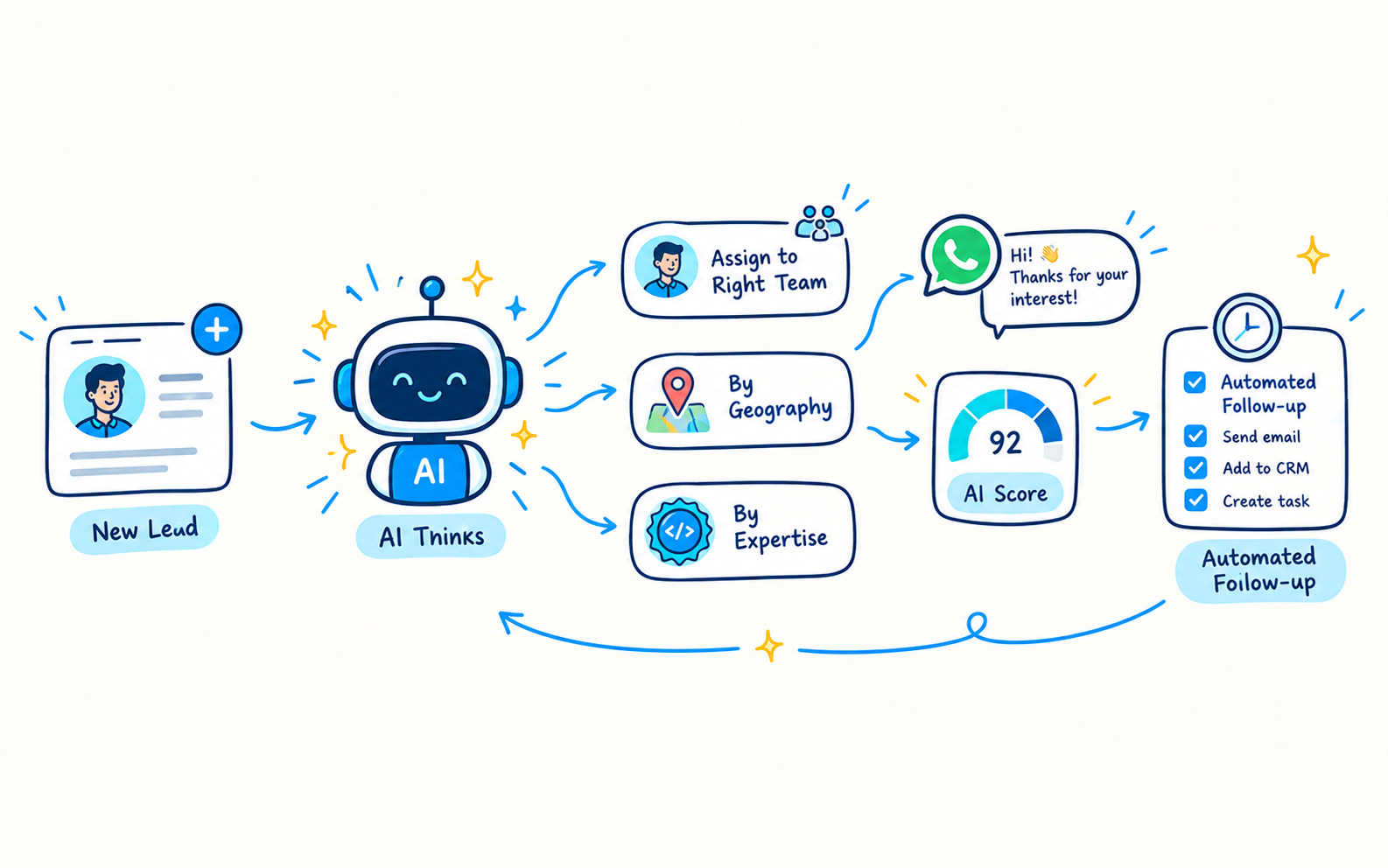
AI lead scoring provides a prioritisation cue based on lead activity. The team still makes the decision, but it starts from a ranked list instead of a raw export.

  • AI lead score cues
  • Activity history before the call
  • Reminders for second and third touchpoints
Lead scoring and prioritisation view
Step 3

Nurture learners who are not ready yet

Enquiries that are not ready to enrol can stay in nurturing campaigns, so the team keeps contact without manual reminders.

  • Lead nurturing campaigns
  • Multi-channel follow-up
  • Conversion tracking through stages
Nurturing campaign and conversion stage screen

The workflow

How an enquiry moves through LeadStor

  1. 1

    Campaign delivers leads

    Leads arrive from ads, landing pages, or webhooks in real time.

  2. 2

    Automatic intake

    Duplicate entries are blocked and leads are assigned to the sales team.

  3. 3

    Prioritised follow-up

    Scoring cues and reminders guide who to contact first and when.

  4. 4

    Nurture and convert

    Unready enquiries stay in nurturing until they are ready to enrol.

Outcomes

What changes for the team

No manual lead imports

Campaign leads land in the pipeline directly, which saves hours per week.

Faster trial follow-up

Reminders keep the first contact close to the moment of interest.

Better use of a small team

Scoring cues help a lean sales team focus on the strongest enquiries.

Consistent nurturing

Automated campaigns keep warm leads engaged without manual tracking.

Common use cases

  • EdTech teams running paid campaigns on several platforms
  • Products that rely on free trials or demo sessions
  • Small sales teams handling high enquiry volume
  • Growth teams needing source and conversion reporting

An eLearning or EdTech team needs a CRM that can keep up with fast enquiry flow. LeadStor is a better fit when the team wants one place to manage leads, route them, and keep follow-up work visible.

What this solution should do

EdTech enquiries usually come from forms, ads, campaigns, and interest pages. The CRM should make it easy to capture the lead, assign it to the right person, and avoid repeated manual updates.

The verified LeadStor features that support this are lead sourcing, lead management, workflow automation, and lead nurturing.

Where it helps most

This page is relevant if you need to:

  • Track course and demo enquiries
  • Keep sales and support people aligned
  • Reduce duplicate follow-up work
  • Review lead activity before the next call

Short answer

For eLearning teams, the CRM should help the enquiry move from interest to action without confusion.

FAQ

eLearning & EdTech CRM questions

Can LeadStor connect directly to ad platforms?
Yes. LeadStor sources leads from Facebook Lead Ads and Google Ads, along with website forms, WhatsApp, and custom HTTP webhooks or APIs.
What does the AI sales assistant actually change?
It provides a lead score cue that helps the team decide which enquiry to contact first. It supports prioritisation and does not replace the counsellor or salesperson decision.
How are duplicate signups handled when a campaign runs on several platforms?
Duplicate blocking checks phone numbers and email addresses, so the same learner does not appear twice with two different owners.
Can we keep following up with learners who do not enrol immediately?
Lead nurturing campaigns are supported, so enquiries that need more time can remain in a scheduled follow-up sequence.

See how LeadStor handles campaign-scale leads

We will map your current campaign sources and show how intake, prioritisation, and nurturing work in one pipeline.